I first wrote this article about Pantheon hosting in December 2022. Since then, Pantheon has shipped a new dashboard, connected sites to GitHub and GitLab, added Next.js, and opened a beta for an AI page editor called P1. The pricing changed too. So this post is more a rewrite than a touch-up.
A colleague emailed me this week asking for the name of the host I showed him on a plugin demo call. That question is why I run client sites on Pantheon and why this post exists. Most WordPress hosts drop you into cPanel, or their own version of it, and wish you luck. Pantheon built the whole workflow, from before you write a line of code through launch, maintenance, and support. Here is what that looks like in practice, what it costs, and how to try it for free.
This post is written for four readers:
- a site owner who wants off a host that keeps breaking,
- an owner whose renewal price just jumped,
- a web designer handing off clients,
- and an agency that needs white-label hosting with maintenance behind it.
If any of those is you, keep going.
- 1 Disclosure
- 2 What Pantheon hosting is
- 3 Dev, Test and Live: the workflow that keeps updates off the live site
- 4 Performance and security that come with every plan
- 5 What changed in Pantheon hosting since 2022
- 6 What Pantheon hosting costs
- 7 Where Pantheon is a poor fit
- 8 How to start on a free sandbox
- 9 Sources
Disclosure
Webidextrous has been using Pantheon hosting since 2013, has been a Pantheon partner agency since 2014, and we host our own site there. Pantheon credits us when a site owner we refer signs up, and we pass Pantheon Preferred pricing through to clients at roughly 20% below list. We would run client sites on Pantheon without either of those arrangements, and we did for years before the referral credit existed.
What Pantheon hosting is
Pantheon calls itself a WebOps platform, and the label fits once you have used it for a month. Pantheon runs WordPress, Drupal, and Next.js sites in containers on its own infrastructure, with Git version control, a CDN, HTTPS certificates, backups, and a deployment pipeline included in every site. You never have to see a server, a control panel, or a PHP config file unless you want to and go looking.
A run-of-the-mill control-panel host sells you a slice of a server and a menu of add-ons. Caching is a plugin you install. Staging is a button that copies the site, if the plan includes it. Backups are a separate product. Each piece comes from a different vendor, and they don’t coordinate or have awareness of each other. For the hosts now doing more coordinated WebOps, it’s bolted on rather than mindfully included from the beginning.
On Pantheon hosting, the pieces were designed together. Code moves through Git. Content and files move through a database clone tool. The CDN sits in front of every environment. When you update a plugin, the platform already knows which environment you are in and what the rollback path is. That difference is the whole reason I keep client sites there.
Dev, Test and Live: the workflow that keeps updates off the live site
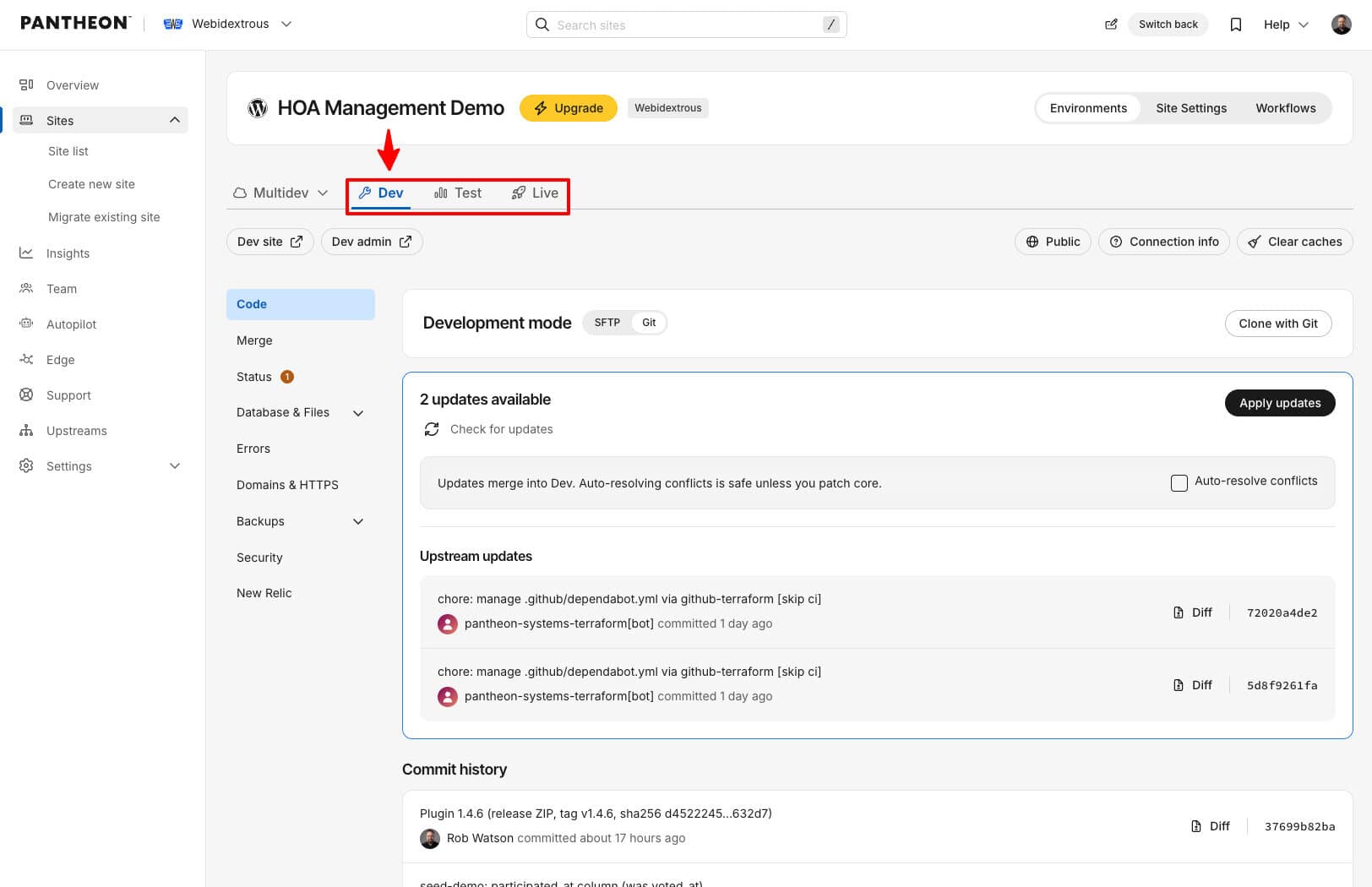
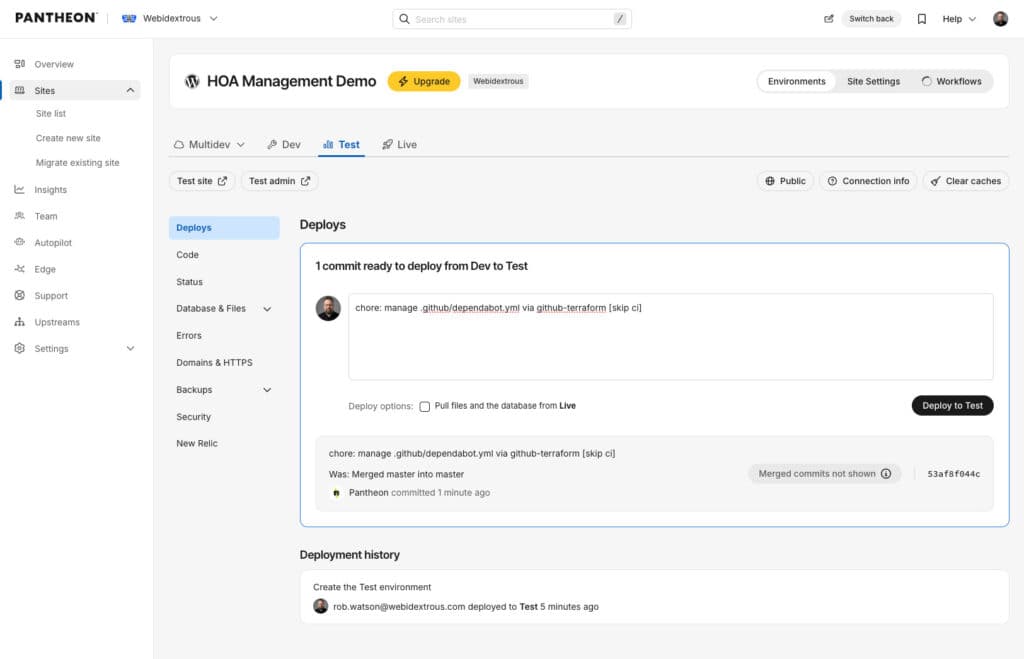
Every Pantheon site gets three environments, and the docs walk you through creating them: Dev for building, Test for checking, Live for visitors. Code only moves in one direction, Dev to Test to Live, and each deploy is a Git commit you can read and reverse. Content moves the other way. You clone the Live database and files down into Test or Dev so you are checking updates against real content, not a stale copy.
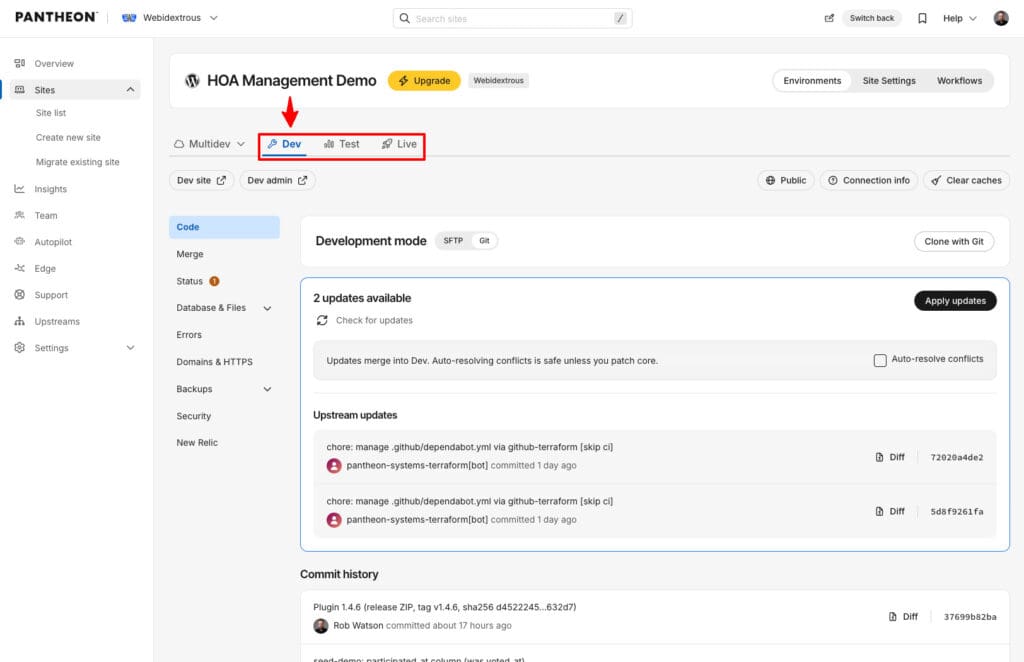
Here is what the monthly update cycle looks like on a typical site we maintain:
- Clone the Live database and files down to Test and Dev.
- Update Dev’s WordPress core, plugin, and theme updates.
- Deploy the updates to Test.
- Check the pages the client cares about: home, contact form, checkout.
- Deploy the tested code to Live. One click, logged, reversible.
For more automation, we use Pantheon’s Autopilot feature, which does all five steps above automatically on a separate Multidev.
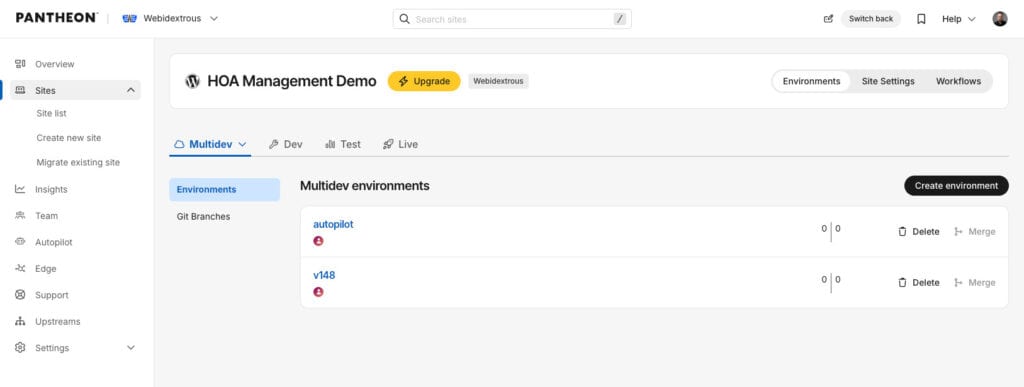
Multidev is a feature that adds branch environments on top of Dev, Test, and Live. Each developer, or each feature, gets its own copy of the site at its own URL. Pantheon’s external repository integration now connects a site to a GitHub or GitLab repo and spins up a Multidev for every open pull request, then deploys to Dev when the pull request merges. Multidev requires a Gold workspace plan or higher, so a solo site owner on the free workspace gets the three standard environments and not the branch copies.
Performance and security that come with every plan
The 2022 version of this article quoted page load and time-to-first-byte figures. I cut them here because, apart from the still obvious need to have fast websites for a good customer experience, the 2018-2023 PageSpeed mania centered on page load times and has given way to AI search results in 2024 and beyond. AI search doesn’t bother as much with speed as it does with relevance. Besides, most load time depends on the theme, the plugins, and the images far more than on the host. What I typically describe to customers these days is what the platform does on every plan, including Basic.
Global CDN and edge caching. Pantheon hosting serves cached pages from its CDN edge before a request reaches PHP, without a caching plugin. On most brochure sites, we remove the caching plugin the previous host required, and the site gets faster.
Containers, not shared servers. Each environment runs in its own containers. A traffic spike or a compromised site next door does not slow yours down, which was the main reason we left shared hosting in 2013.
HTTPS, included. Certificates are issued and renewed by the platform. There is nothing to buy and nothing to remember to renew.
Automated daily backups. Code, database, and files are backed up on a schedule and restored from the dashboard. We take a further backup before every change we make, so a bad update has a restore point from minutes earlier.
Platform security. Pantheon manages PHP and MySQL, patches the platform, and holds ISO 27001 certification. What it does not do is maintain WordPress itself. Plugin updates, user audits, and malware scanning on the application are still your job, or your maintenance provider’s. What Your WordPress Maintenance Plan Has to Cover lays out that split.
What changed in Pantheon hosting since 2022
If you looked at Pantheon hosting a few years ago and moved on, these are the changes worth a second look.
A new dashboard. The site and workspace dashboards were redesigned in 2026. The older getting started guide still has the previous screens as of November 2026, so expect the steps to hold and the screenshots to differ.
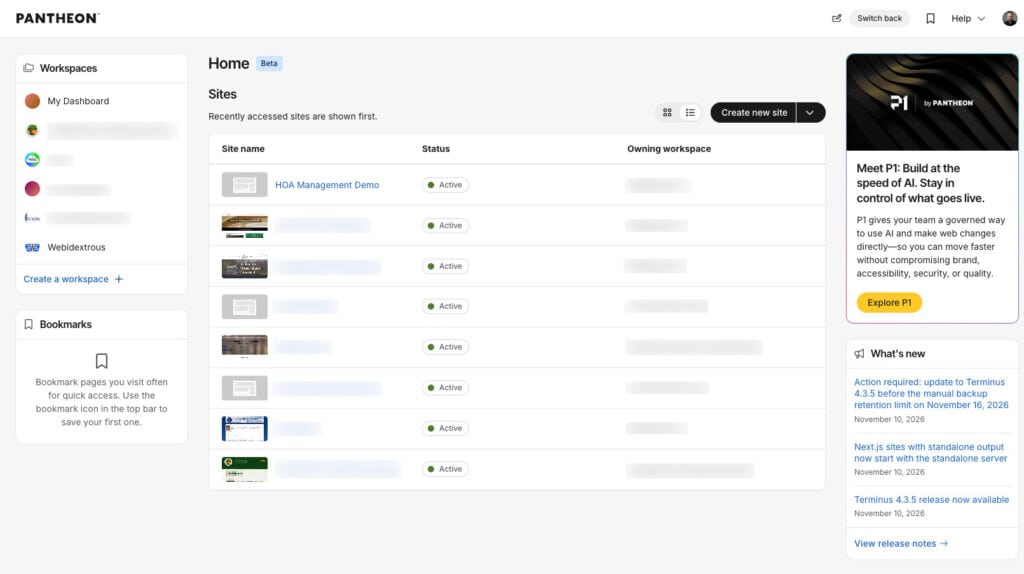
External repositories. A site can now live in your own GitHub or GitLab repo instead of Pantheon’s, with a Multidev built for each pull request. For teams that already review code in GitHub, this removes the separate CI pipeline that the old Build Tools approach needed.
Next.js alongside WordPress. Pantheon hosts Next.js front ends with the same Dev, Test, and Live environments, which works for a headless WordPress build where the content stays in WordPress, and the front end is React.
Content Publisher. Writers can draft in Google Docs and publish straight to WordPress through a Pantheon add-on, with the site on Pantheon or on another host.
P1, in beta. P1 is an AI-native page editor that works inside a design system, so a marketer can add a component or let Pantheon’s agent draft a campaign page without leaving the brand palette. The public site has a sandbox demo you can try in the browser. Access is by waitlist and a paid beta as of November 2026. It is separate from WordPress, and I expect agencies building many landing pages on one design system to get the most from it.
What Pantheon hosting costs
You pay nothing until the site goes live. A Silver workspace is free and includes two sandbox sites with the full Dev, Test, and Live workflow. Sandbox sites show a warning page to visitors and cannot take a custom domain, so they are for building and testing. When you are ready to launch, you buy a site plan for that one site.
Through a Pantheon partner agency, you get Preferred pricing. These are the figures on our hosting page, taken from Pantheon.io in September 2026. The Preferred monthly column is the annual rate divided by twelve.
| Pantheon plan | List/month | Preferred / month | List/year | Preferred/year |
|---|---|---|---|---|
| Basic | $55 | $44.16 | $500 | $420 |
| Performance Small | $200 | $166.66 | $1,925 | $1,500 |
| Performance Medium | $350 | $283.33 | $3,300 | $2,700 |
| Performance Large | $700 | $566.66 | $6,600 | $5,400 |
| Performance XL | $1,150 | $925 | $11,000 | $9,000 |
| Elite | Quoted | Quoted | Quoted | Quoted |
Most small business sites run on Basic. WooCommerce stores and sites that need Redis object caching start at Performance Small. The plan covers hosting only. Pantheon does not host email, so a mailbox at your domain lives with Google Workspace, Microsoft 365, or your registrar. That’s a much better arrangement anyway because it decouples hosting from email for fault tolerance and recovery.
Compared with a shared hosting plan, Basic only looks expensive. However, compared with a managed WordPress host at a similar price, it includes the CDN, the three environments, Git, and the backups that those hosts sell as add-ons or reserve for higher tiers. Price the whole stack, not the line item.
Where Pantheon is a poor fit
I don’t want to shine anyone on. No single hosting solution is perfect for every situation. I recommend Pantheon to most clients and still say no in a few cases.
- You want a control panel. There is no cPanel, no file manager, and no one-click installer for other software. If you run a forum, a mail server, or a custom PHP app beside WordPress, Pantheon is not the place for it.
- You will manage the site yourself and have never used Git or SFTP. The dashboard covers the common tasks, and the docs are good, but the mental model of three environments takes a few weeks to settle in. Pantheon’s own certification course is the fastest way through that. Webidextrous was among the very first agencies Pantheon ever certified.
- It is a hobby site with no budget. Shared hosting is the right answer for a hobby site. Come back when the site earns money.
- You run WordPress Multisite with subdomains. It works, and we’ve run one, but the search-and-replace step between environments needs care that the guided migration does not easily provide for you.
If none of those describe you, the free sandbox is the next step.
How to start on a free sandbox
You can have a WordPress site running on Pantheon within the hour, with no card on file.
- Create a free account at pantheon.io/plans/pricing. Pick the Silver workspace.
- Click Create New Site, choose WordPress, name the site, and pick a region. Pantheon builds the Dev environment in a few minutes. The add-a-site guide has screenshots.
- Click Site Admin and finish the WordPress install. Save the username and password; the same login works in all three environments.
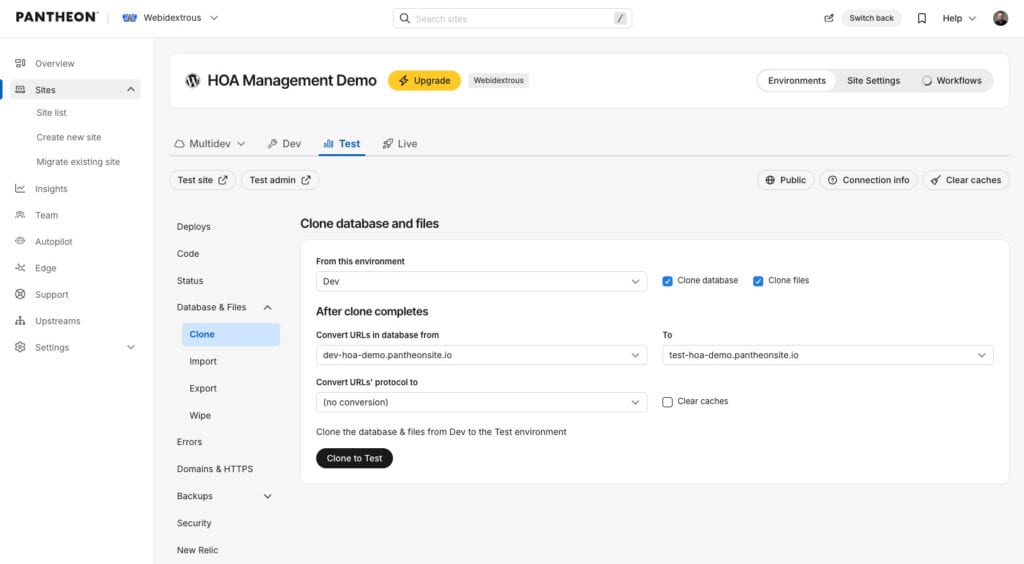
- Initialize the Test environment, then clone the database and files from Dev. Do the same for Live when you buy a plan.
- To move an existing site instead of starting fresh, use guided migration. It installs a plugin on your current site, packages it, and imports it into a new Dev environment.
Step 4 is where a new user might get lost, because cloning content down and deploying code up feels backwards the first time. But, trust me, once you get used to it, you’ll wonder how you ever did without it. The getting started guide walks through it, with the caveat about older screenshots above.
One request before you click Create. Pantheon credits Webidextrous for referrals, and the credit keys on the email address you sign up with. There is no referral link yet. If you’d like us to get the credit, email me that address before you create the workspace, and we’ll register it with Pantheon’s partner program. It costs you nothing and changes nothing about your account.
If you would rather we do the move, the migration is free when you host through Webidextrous, and you get Preferred pricing whether or not you add a maintenance plan. Fill out the hosting quote form, and we will reply within one business day with a written plan.
Sources
- Pantheon: Why Pantheon, opened November 11, 2026
- Pantheon: pricing and plans, opened November 11, 2026
- Pantheon: Built for high stakes, opened November 11, 2026
- Pantheon docs: Add a site, opened November 11, 2026
- Pantheon docs: Guided migration, last reviewed December 5, 2025
- Pantheon docs: External repositories, last reviewed June 24, 2026, and support considerations
- Pantheon docs: Getting started, last reviewed March 21, 2023
- Pantheon Content Publisher: WordPress tutorial, last reviewed November 6, 2025
- P1 by Pantheon, opened November 11, 2026
- Pantheon blog: ISO 27001 certification
- Webidextrous: Managed WordPress hosting on Pantheon, prices as of September 2026